I remember the exact moment I almost threw my smartphone across the cold concrete floor of my garage. It was nearly midnight, the air was damp, and my brand-new EV charger—the one I’d bragged to my neighbors about—was blinking a mocking, rhythmic red. The app simply said “Device Offline.” I’d spent a small fortune on a sleek “smart” unit, and yet there I was, manually plugging it in like it was some dumb toaster from 1995. This wasn’t just a minor tech glitch; it felt like a personal betrayal by the very technology promised to make my life easier. If you’re currently standing in your driveway, staring at a dead app and wondering why you didn’t just buy a “dumb” charger, I’ve been in your shoes. We are going to fix this today. I’m going to show you exactly why your charger is being stubborn and how to force it to play nice with your network so you can actually use the features you paid for.
Your Garage Walls are Killing Your Connection
The biggest mistake I made during my first install was assuming that because my phone had two bars of signal in the garage, my charger would be just fine. I was dead wrong. EV chargers are often encased in ruggedized plastic or even metal, and they are frequently mounted right next to massive electrical panels that create a “noise” floor of electromagnetic interference. I learned the hard way that troubleshooting EV charger connectivity problems starts with acknowledging that your garage is essentially a bunker for radio waves. Materials like brick, cinder blocks, and even that foil-backed insulation that keeps your garage warm are absolute poison for a standard Wi-Fi signal. Sometimes, why your EV charger is making a clicking sound but not charging can actually be traced back to a failed handshake because the signal dropped mid-command.
Is a Smart Charger Actually Worth This Much Effort?
You might be asking yourself if you should have just stuck with a basic NEMA 14-50 plug-in model. Is the ability to see a graph on your phone really worth three hours of technical frustration? In my opinion, yes—but only when it works. When that connection is solid, you can take advantage of off-peak utility rates and firmware updates that actually improve your car’s battery health over time. But when it fails, it’s just another appliance demanding your attention. Trust me, once we stabilize that signal, you’ll never want to go back to a basic unit. Have you ever felt like your charger was intentionally ignoring your router just to spite you?
The 2.4GHz Trap Most Homeowners Fall Into
Most of us want the fastest internet possible, so we hunt for the 5GHz band. However, your smart charger isn’t trying to stream 4K video; it’s sending tiny packets of data. Many EV chargers only have 2.4GHz radios because that frequency has a much longer range and better “punch” through walls. My “aha!” moment came when I realized my fancy mesh router was trying to force my charger onto a 5GHz node that was just too far away. According to the IEEE (Institute of Electrical and Electronics Engineers), 2.4 GHz signals are significantly better at navigating physical obstacles than their higher-frequency counterparts. Often, why your smart charger app is giving you wrong data is simply because the connection is “flapping”—connecting and disconnecting every few seconds. [IMAGE_PLACEHOLDER] Before you call an electrician to discuss expert tips for common issues, we need to check the simplest fix: your router’s proximity and settings. We aren’t just looking for signal strength; we are looking for signal stability.
Kill the Dead Zones with a Dedicated Node
I wasted forty dollars on a cheap plug-in Wi-Fi extender before I realized it was just amplifying a terrible, jittery signal. In my garage, the extender was basically shouting garbage at my charger. The real fix was adding a wired mesh node. If your garage is detached or built like a concrete vault, you need a hardware-based solution that doesn’t just repeat a signal, but creates a new, strong access point. Think of it like this: an extender is a person with a megaphone repeating what they hear from a distance—eventually, the message gets garbled. A mesh node is a second person standing right next to you. If you are struggling with a unit that won’t stay online, check if you need to add an EV charger without a 200-amp panel upgrade because sometimes the lack of power stability to the sensitive Wi-Fi module itself is the underlying culprit.
#IMAGE_PLACE_HOLDER_B#
Separate Your SSID for a Cleaner Handshake
Your ‘smart’ router is likely too smart for its own good. Modern routers use a feature called ‘Band Steering’ to automatically shove devices onto the 5GHz frequency for speed. However, your charger’s low-power Wi-Fi chip is often built to stay on 2.4GHz. When the router tries to force a switch, the connection drops. I fixed my intermittent disconnects by creating a dedicated guest network strictly for the 2.4GHz band. It gave the charger a dedicated lane without all the traffic from my family’s streaming devices and gaming consoles. This simple separation often resolves why your charging station is stuck in waiting mode. If the charger keeps dropping every few minutes, it is usually because it is stuck in a loop trying to authenticate on a band it cannot physically sustain.
Firmware Updates Are Not Optional
I used to ignore those ‘Update Available’ notifications on my phone until my charger started rebooting every time the sun went down. Manufacturers release these patches to fix obscure bugs in the communication protocol between your home network and the car’s onboard computer. You need to know how to update the firmware on your smart charging station manually if the auto-update feature fails due to a weak signal. One time, a specific patch fixed a bug where my charger wouldn’t talk to my phone if the ambient garage temperature was over 90 degrees. It sounds like a strange edge case, but code efficiency and thermal management are tightly linked when the internal hardware is under constant electrical load.
Check the Physical Integrity of Your Installation
Sometimes the problem isn’t the software; it is a loose wire causing a voltage drop that resets the internal computer chip. Before you tear your hair out over router settings, verify code compliance for your EV charger installation. I found a slightly loose neutral wire in my sub-panel once that was causing micro-arcs. These were enough to create electromagnetic interference that killed the Wi-Fi signal but weren’t quite enough to trip the breaker yet. This is why panel upgrades for EV chargers are so critical—they ensure the electrical foundation is clean and consistent. Remember, your charger is a high-power appliance strapped to a 40-amp or 50-amp circuit; if that circuit isn’t perfectly installed, the sensitive electronics inside the ‘smart’ module will be the first thing to glitch out.
Everyone tells you that if you want a fast home charger, you absolutely must spend four thousand dollars on a full service upgrade. In my experience, that is often a complete waste of money. We’ve been conditioned to think that more power is always better, but modern electrical engineering has moved past the ‘bigger pipe’ philosophy. I’ve seen homeowners bypass a massive bill by simply choosing to use load shedding devices to avoid a full service upgrade. These systems act like a digital traffic cop, momentarily pausing your car’s intake if your oven and AC both kick on at the same time. You aren’t losing speed; you’re gaining efficiency without tearing apart your basement walls.
The Hand-Tighten Method Fails Every Time
Here is the ‘oops’ factor that almost cost me a new charger motherboard: skipping the torque wrench. Most DIYers and even some hurried pros think they can feel when a terminal is tight enough. They are wrong. When you run 40 or 50 amps through a wire for eight hours straight, the metal expands and contracts. If those connections aren’t set to the manufacturer’s exact specifications, they will work themselves loose over six months. This is exactly why your main lugs might be loose after a year of charging, leading to heat buildup that can actually melt the plastic housing of your breaker. I learned that why your charger needs a specific torque setting to pass inspection isn’t just a bureaucratic hurdle—it’s a fire prevention measure that standard house wiring rarely demands. 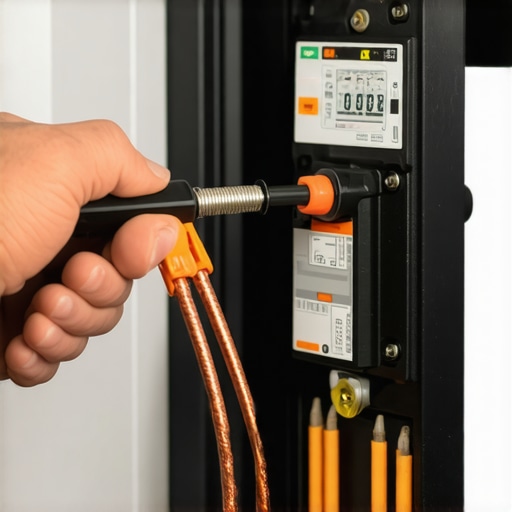
Does Your Smart Charger Actually Save a Single Cent?
I see people buy high-end units thinking they’ll pay for themselves in months. The reality is more nuanced. If you aren’t on a time-of-use (TOU) plan with your utility provider, all that smart tech is just an expensive way to look at a graph. In fact, why your smart charger isn’t saving you money on your bill is usually because the user hasn’t synced the charger’s internal clock with the local utility’s off-peak windows. According to the National Fire Protection Association (NFPA) in NEC Section 625.42, energy management systems are now officially recognized as a valid way to control the maximum load, but if the software isn’t configured for your specific zip code, you’re just paying for a fancy Wi-Fi chip you don’t need.
Watch Out for the GFCI Nuisance Loop
Another common trap is the ‘double-GFCI’ mistake. If you buy a plug-in charger, it likely has a built-in Ground Fault Circuit Interrupter. If you then plug that into a circuit that already has a GFCI breaker in the panel—which is a requirement in many new codes—the two systems can ‘fight’ each other. This results in why the GFCI in your panel keeps nuisance tripping your charger at 3:00 AM for no apparent reason. It’s a classic case of troubleshooting EV chargers common compliance pitfalls and fixes where being ‘too safe’ by code actually breaks the functionality of the device. Have you ever fallen into this trap and spent a weekend wondering why your breaker won’t stay flipped? Let me know in the comments. I’m curious if your local inspector caught it or if you had to figure it out the hard way like I did.
Moving past those initial install headaches, we have to talk about the set-it-and-forget-it myth. Most homeowners think that once the light turns green, the job is done forever, but you are running a massive load through your walls every night. I personally recommend investing in a handheld thermal imaging camera—something like a FLIR unit that connects to your smartphone. Once every six months, I pop the cover off my sub-panel while the car is charging at its full 48-amp draw. I am looking specifically for hot spots at the breaker terminals. If one wire is glowing significantly brighter than the others, it is a sign that the connection has loosened over time due to thermal expansion. This proactive approach is the secret to upgrading your panel for better ev charging performance because you are managing the health of the hardware you already have before it fails.
How do I maintain my home charging station over time?
Effective maintenance is not just about the internal wires; it is about the physical wear and tear on the handle and cable. I have seen people let their heavy cables kink and twist until the outer jacket splits. If you spot a crack, you need to know how to replace a frayed cable without buying a new station before the internal copper is exposed to the elements. I also keep a small kit of essential spare parts to keep, including a spare J1772 holster and electrical-grade contact cleaner. Keeping the pins on your car port and the charger plug free of oxidation prevents the micro-resistance that causes heat buildup. According to the National Electrical Code (NEC) Section 625.17(C), the output cable on your charger should not exceed 25 feet unless it has a dedicated lift or management system, which highlights how critical physical cable integrity is for safety. 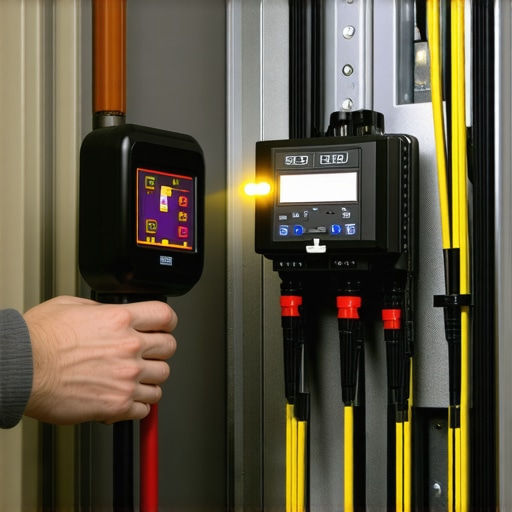
Scaling Up for Your Next Electric Vehicle
The conversation is quickly shifting from how to charge one car to how to charge two. Most residential garages do not have the room in their panels for two separate 60-amp breakers. This is where panel upgrade strategies to meet ev charging code requirements in 2025 come into play. We are moving toward a world of smart sharing where two chargers talk to each other and split a single circuit capacity dynamically. Looking ahead, I predict the next five years will be dominated by V2G (Vehicle-to-Grid) technology, where your car does not just take power—it feeds your home during a blackout. To get ready for this transition, focus on ensuring code compliance now so you do not have to rip out your entire infrastructure later. I strongly suggest you grab a torque wrench this weekend and check your main lugs to ensure they meet the manufacturer’s specs; it is the single most effective thing you can do for your home safety today.
The Reality Check Most Pro Electricians Skip
I spent way too long ignoring the physical side of tech. When you focus on ensuring code compliance when installing EV chargers, you realize that a loose lug isn’t just a fire hazard—it creates electrical noise that drops your Wi-Fi signal. Here are the three truths I had to learn the hard way: First, your firmware is effectively a digital mechanic; ignore the update, and you’re driving a car with a ghost in the machine. Second, distance on a spec sheet is a lie when it comes to garage Wi-Fi; a five-foot move of a router can be the difference between a 2:00 AM charging failure and a perfect morning. Finally, always trust the torque. I’ve seen more troubleshooting EV chargers common compliance pitfalls and fixes that come down to a screwdriver being used where a torque wrench was required than I care to admit.
Gear That Keeps My Garage Safe and Online
Building a reliable setup doesn’t require a commercial budget, but it does require the right specialized tools. I personally swear by a handheld thermal imager to spot heat before it becomes a smell, and a high-quality torque wrench to prevent terminal creep. For the software side, I recommend using a dedicated Wi-Fi analyzer app to map out the 2.4GHz interference in your garage. If your current hardware is showing its age, checking for the essential spare parts to keep for your home charging unit can save you from a week of slow Level 1 charging while you wait for a replacement cable or holster. I trust these tools because they move the needle from guessing to knowing exactly how your system is performing under load.
Step Into the Next Generation of Charging
You have the power to turn your garage from a simple parking spot into a high-tech energy hub. Don’t be intimidated by the wires or the blinking lights; once you’ve dialed in your signal and secured your connections, the system works for you, not the other way around. If you are looking to future-proof your home, start exploring panel upgrade strategies to meet EV charging code requirements in 2025 so you are ready for the next vehicle. By taking these small, proactive steps now, you ensure your transition to electric is as smooth as the drive itself. Have you ever discovered a loose wire or a simple router setting that solved a mysterious charging glitch? Let me know in the comments below.