I remember standing in my freezing garage at 11:30 PM, staring at a ‘Charging Error’ notification on my phone while rain drummed on the roof. My brand-new EV was sitting there, thirsty for power, but the charger was just blinking a rhythmic, mocking red light. I had spent thousands on a high-tech setup, yet I was defeated by a software glitch. It turned out my ‘smart’ charger was running on a version of firmware so old it practically belonged in the Stone Age. I’d already checked the expert tips for common issues, but nothing worked until I realized the brain of the machine was simply out of date. Today, I’m going to show you how to avoid that midnight headache by keeping your station’s software in peak condition.
Your Charger Needs a Brain Refresh to Stay Efficient
We often think of EV chargers as simple appliances, like a toaster or a lamp, but they are actually sophisticated computers handling massive amounts of electricity. When the software gets dusty, things go south quickly. I learned this the hard way during my first year of ownership when I ignored three update prompts in a row. Eventually, my station ended up stuck in waiting mode for three days because it couldn’t talk to the car’s updated operating system. It was a classic rookie mistake that left me Ubering to work while my car sat idle. Keeping that firmware current isn’t just about new features; it’s about making sure your charger doesn’t suddenly decide to stop talking to your car.
Is a firmware update really worth the risk of bricking my device?
It’s a valid fear. Nobody wants to turn their expensive Level 2 station into a wall-mounted paperweight. However, the reality is much more encouraging. According to data from the Alternative Fuels Data Center, software-related communication errors are among the most frequent causes of charging session failures in residential units. Most modern chargers have ‘fail-safe’ protocols that prevent an update from ruining the hardware. If you’ve been struggling with connectivity problems lately, an update is usually the cure, not the cause. Have you ever seen that dreaded ‘Update Required’ pop-up right when you were in a desperate hurry to leave? Trust me, taking the five minutes to click ‘Yes’ now saves you hours of frustration later. We’re going to dive into the exact steps to make this process painless, ensuring your home setup remains as reliable as the day it was installed.
Clear the Path for a Seamless Software Download
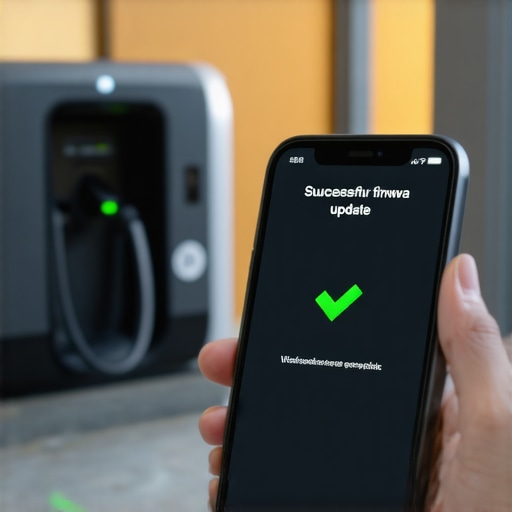
Updating your firmware is like giving your car’s ‘fuel pump’ a brain transplant while it’s still attached to the wall. If the connection is unstable, the process can fail halfway through, leaving the hardware confused and non-functional. I learned this the hard way when I tried to update my station while my son was downloading a massive video game update in the room right above the garage. The charger’s Wi-Fi signal was already thin, and that extra traffic caused the update to hang at 92% for two hours. I eventually had to learn the hard way about troubleshooting ev charger connectivity problems before I could get the system to respond again. To avoid this, always check your signal strength in the app first. If you see only one bar, consider a Wi-Fi extender or moving your router closer before you hit that ‘Update’ button.
Why a Strong Signal is Non-Negotiable
Think of the update file as a delicate piece of glass being delivered over a bumpy road. Every time the Wi-Fi drops, that glass cracks. Most chargers will simply abort the mission if the data packet is corrupted, which is why your station might be stuck in waiting mode indefinitely. If you find yourself in this loop, the best move is to ‘forget’ the network on your charger and reconnect it fresh. This clears out the digital cobwebs and ensures the path is wide open for the new firmware to land safely.
Handle an Update That Refuses to Complete
Sometimes, despite having perfect Wi-Fi, the update just refuses to take. You’ll see the spinning wheel of death on your phone screen, and the charger might start making strange clicking sounds. In my second year of EV ownership, my charger became a brick during a critical security patch. I was terrified I’d have to replace the whole unit. The fix was surprisingly low-tech: I went to the main electrical panel and flipped the dedicated breaker off for sixty seconds. This ‘power cycle’ forced the internal computer to purge its temporary memory and restart the update from scratch. If your charger is acting up, knowing the real reason your circuit breaker trips can help you distinguish between a software glitch and a genuine electrical fault.
The Hard Reset Protocol
When the app is unresponsive, the physical hardware is your last line of defense. Most Level 2 stations have a specific reset sequence—usually involving holding the ‘Start’ button for ten seconds or using a pinhole reset button. Performing this correctly can often bypass a frozen update screen. However, be careful; a hard reset can sometimes revert your settings to factory defaults, meaning you’ll need to re-configure your charging schedules to ensure you’re still getting the best utility rates.
Verify Your Physical Hardware Matches the New Specs
Software updates often unlock higher performance, such as increasing the amperage from 32A to 40A. While this sounds great, your physical wiring must be able to handle that extra heat. After one major update, I noticed my garage lights began to dim whenever I plugged in. I had to look into how to stop your garage lights from flickering when the car starts charging and realized the update had pushed my charger to a power level my old panel wasn’t ready for. This is where how to load balance your home electrical system without a full panel swap becomes vital information. You might need to look into panel upgrades for ev chargers if the new software allows your car to pull more juice than your current service can safely provide. Always double-check your ‘Max Amperage’ settings in the app after an update to ensure they still align with your breaker’s physical limits.
Let’s dig deeper into the nuances that the glossy manuals usually skip over. A common myth in the EV community is that a smart charger is always the financial ‘win.’ In my experience, if your home has a complex utility rate structure and you haven’t meticulously configured the local API, your station might be pulling power at the wrong times or constantly pinging the cloud, consuming data and small amounts of standby energy unnecessarily. This is exactly why your smart charger isn’t saving you money on your bill despite the marketing promises. Beyond the software, there is a physical ‘oops’ factor that haunts even the most tech-savvy owners: terminal torque. When you install or adjust your setup after an update that allows for higher amperage, skipping the torque wrench is a residential disaster waiting to happen. High-amperage loads like EV charging cause significant wire expansion and contraction. If you didn’t use the specific torque settings that prevent panel fires, no amount of firmware updates will save your breaker from melting under the stress of a continuous 48-amp draw.
A study by the NFPA (National Fire Protection Association) highlights that poor electrical connections are a leading cause of residential fires, particularly in high-load circuits. Have you ever fallen into this trap of focusing on the app while ignoring the actual wires? Let me know in the comments. Many homeowners also believe that a panel upgrade is the only way to support a faster charger, but they often ignore more elegant solutions. Before you spend thousands on a new service, look into how to load balance your home electrical system without a full panel swap. It’s a sophisticated move that uses software to manage the load, essentially telling the charger to throttle down only when the electric oven or dryer is running. This keeps you within your current power budget while still providing maximum speed overnight.
Can a firmware change trigger a code compliance failure?
This is the question that keeps professional installers up at night. The short answer is yes. If a software update allows your charger to exceed the rated capacity of your existing circuit or breaker, you are technically out of compliance with the NEC (National Electrical Code). This is one of the most common compliance pitfalls and fixes I encounter. When the software ‘unlocks’ more power, it’s your responsibility to ensure the hardware—meaning the wire gauge and the breaker—is still compatible. I always recommend that owners verify code compliance for your ev charger installation after any major system change. If you’re unsure about the technical details, reading up on panel upgrades for ev chargers can help you decide if your current infrastructure is truly ready for the digital future. Don’t let a simple ‘Update Successful’ message blind you to the physical realities of your home’s electrical grid.
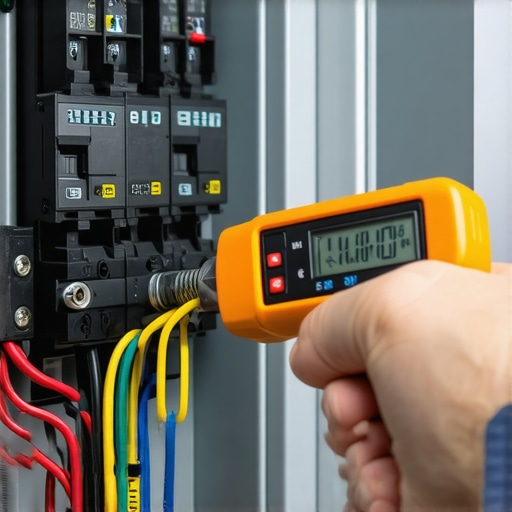
Beyond the digital handshake between your car and your charger, there is a physical reality that most people ignore until they smell ozone or see scorched plastic. I’ve become a bit of a fanatic about checking my system’s temperature. Once a month, while my car is pulling its full 48 amps, I open my panel and use a laser infrared thermometer to scan the breaker. If I see a reading above 140°F, I know I’m looking at signs your main breaker is running dangerously hot. This simple two-minute check has saved me from at least one potential service call where a loose wire was starting to arc. It’s the kind of proactive habit that separates a ‘set-it-and-forget-it’ owner from someone who actually understands the load they are putting on their home.
The Tool That Saved My Garage From a Meltdown
If you only buy one tool for your EV journey, make it a high-quality torque wrench. Most homeowners—and even some general electricians—tend to just ‘hand-tighten’ the lugs on the breaker. But as I’ve seen repeatedly, the National Electrical Code (NEC) Section 110.14(D) specifically requires terminal torque to be verified with a calibrated tool to prevent high-resistance connections. I personally use a CDI Torque screwdriver set because it ensures my connections are exactly where the manufacturer specified. Without this precision, you risk the thermal expansion issues we discussed earlier. If you find your system acting up, start by revisiting expert tips for common issues, but don’t be afraid to physically inspect those connections if you’re comfortable around a panel.
How do I maintain my home charging setup over the long haul?
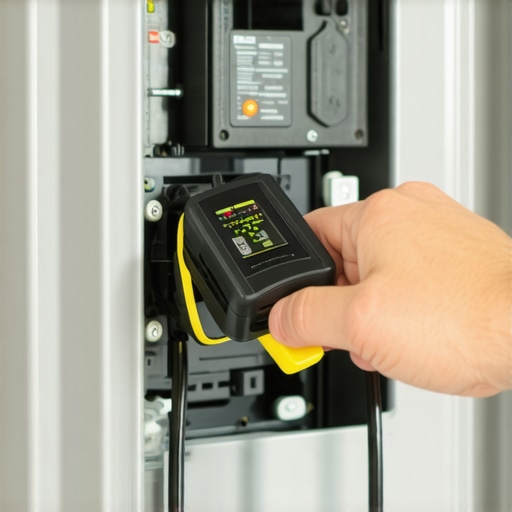
Maintenance isn’t just about the wires inside the wall; it’s about the handle you touch every single night. I make it a point to inspect the pins inside the charging connector twice a year. Dust, pet hair, and even small spiders can find their way into those holes, leading to poor contact and heat buildup. I’ve found that knowing how to clean the pins on your charging handle safely with a bit of electronic contact cleaner and a soft brush can prevent those annoying ‘Check Charger’ warnings. If your unit is mounted outside, you have even more to worry about. Rain and snow are manageable, but salt air or heavy grit can ruin a connector fast. I follow the maintenance tasks that keep your outdoor charger running through the worst seasons, which includes applying a thin layer of dielectric grease to the holster to keep everything moving smoothly.
Prepare for a Future of Two-Way Power
We are rapidly moving toward a world where your car doesn’t just take power from your house, but gives it back. Vehicle-to-Home (V2H) technology is the next big wave, and it’s going to put even more stress on your home’s electrical core. When that happens, your current setup won’t just be a consumer; it will be a generator. This transition makes how to find an electrician who actually understands ev codes more important than ever. In the next few years, I predict we will see the ‘smart panel’ become the standard, replacing traditional breakers with digital load centers that can throttle your EV, HVAC, and dryer in real-time to keep your grid stable. For now, the best thing you can do is ensure your foundation is solid. Grab a thermometer this weekend and check your breaker while the car is charging. If it’s too hot to touch, that’s your sign to take action before the software tries to solve a hardware problem it can’t fix.
Why My Smart Charger Almost Ruined My Week
If there is one thing I’ve realized after years of EV ownership, it’s that we often focus too much on the ‘smart’ and not enough on the ‘current.’ I spent months chasing software glitches only to find that a single loose screw in my panel was causing all my recurring charging errors. The biggest lightbulb moment for me was realizing that your charger is like a high-performance athlete; it needs a solid foundation, not just a flashy brain. Don’t fall into the trap of thinking a firmware patch can fix a physical bottleneck. If you’ve updated everything and still see errors, it’s time to verify code compliance for your ev charger installation to ensure your hardware matches your digital expectations.
#IMAGE_PLACEHOLDER_E#
My Must-Have Diagnostic Kit for Every Owner
I don’t go a month without reaching for these three essentials. First, a calibrated torque wrench is non-negotiable for anyone who wants to avoid the risk of high-resistance heating. Second, I highly recommend a basic infrared thermometer to catch those signs your main breaker is running dangerously hot before things get smoky. Finally, keep a digital bookmark for expert tips for common issues because even the best setups have off days. These tools haven’t just saved me money on service calls; they’ve given me the peace of mind to sleep soundly while my car gulps down kilowatts at 48 amps.
Take Charge of Your Home Grid Today
Maintaining an EV charging setup is a journey of constant learning, but it shouldn’t be a source of stress. By staying on top of your firmware and respecting the physical limits of your electrical panel, you are already ahead of 90% of other owners. You’ve got the knowledge to spot trouble before it starts and the tools to fix it when it does. Remember, a safe charger is a reliable charger, and a reliable charger makes the transition to electric driving truly seamless. Whether you are currently researching panel upgrades for ev chargers or just tightening a few lugs to spec, you’re building a more resilient home. Have you ever felt the heat coming off your breaker or noticed a strange hum after a long charging session? Let me know your experience in the comments below!