It was exactly 6:15 AM on a rainy Tuesday when I realized my so-called ‘smart home’ was actually making me look pretty foolish. I walked out to the garage, coffee in hand and ready to tackle the morning commute, only to find my charger pulsing a mocking, slow red light. No charge. No connection. Just a dead car and a very long, wet walk to the nearest bus stop. I had spent weeks obsessing over whether I needed a panel upgrade for ev chargers, ensuring every wire was the perfect gauge, yet I completely ignored the invisible signal that makes the whole system work. It is a sinking feeling, knowing your expensive piece of tech is essentially a paperweight because your router and your garage aren’t on speaking terms.
Get Your Charger Back Online and Keep It There
We need to address why this happens right now, because as utility companies push for more demand-response programs, a stable connection isn’t just a luxury—it’s how you get the best rates. Your garage is essentially a fortress designed to kill Wi-Fi. Between the dense concrete, the heavy metal garage door, and the sheer distance from your living room, it is a miracle a signal reaches the wall at all. If you are struggling with troubleshooting ev charger connectivity problems, you aren’t just fighting a glitchy app; you are fighting physics. Today, we are going to fix that. I am going to walk you through how to stabilize that connection so you can finally stop worrying about whether your car will be ready in the morning. We will look at signal attenuation, why the 2.4GHz band is your best friend (and worst enemy), and the settings your internet provider likely changed behind your back.
Is a smart charger even worth the constant headache?
I’ll be totally honest with you: there were plenty of moments during that first month where I seriously considered ripping the unit off the wall and swapping it for a ‘dumb’ charger. Why bother with why your smart charger refuses to sync with the local utility app when a basic plug just works? But the truth is, the smart features are what actually pay for the unit over time. They allow you to schedule charging for 2 AM when electricity is cheapest. One of my biggest ev charger troubleshooting expert tips is to realize that the hardware itself is rarely the problem; it is almost always the bridge between the charger and your router. I made a massive rookie mistake early on by buying one of those cheap internet-bought chargers and then trying to fix its weak antenna with a $20 plug-in range extender. All that did was create more lag and more drops. A surprising fact from the tech world is that even standard drywall can cut your signal strength by 50% if the angle is wrong. Have you ever stood in your garage in your pajamas, fruitlessly rebooting your router just to get your car to wake up? Drop a comment below—I’m starting to think we need a support group for this. Before we dive into the hardware fixes, let’s make sure your basic installation aligns with code compliance essentials for ev charger installations so you don’t void your warranty while hunting for a signal.
Kill the Dead Zones Without Buying More Junk
Think of your Wi-Fi signal like a voice trying to shout through a thick wool blanket. That blanket is your garage door and the dense insulation in your walls. Most people make the mistake of adding more ‘shouters’—cheap range extenders—which only creates a chaotic digital echo. To stop why your smart charger lost its wi-fi connection again, you need to simplify the path. If you can, move your router closer to the shared wall of the garage. If that is not an option, you need a hardwired access point. I once spent three hours trying to ‘mesh’ a network through a brick chimney only to realize that a single $50 Powerline adapter solved everything in five minutes. It uses your home’s existing copper wiring to carry the data, bypassing the physical barriers that block wireless waves. Metal garage doors are particularly brutal; they act as a Faraday cage, essentially bouncing the signal back toward your house instead of letting it reach the charger’s antenna.
Force Your Router to Stay in Its Lane
Your charger almost certainly runs on the 2.4GHz band. This frequency is like a slow, heavy-duty tractor; it can go through walls better than the fast 5GHz ‘sports car’ frequency, but it gets crowded quickly. Every microwave, baby monitor, and neighbor’s old router is fighting for space on that tractor path. Go into your router settings—usually by typing 192.168.1.1 into your browser—and assign your charger a static IP address. This is like giving your car its own reserved parking spot in the digital world. Without it, your router might try to reassign the address in the middle of the night, leading to those frustrating ev charger troubleshooting expert tips scenarios where the app says ‘Offline’ even though the lights are green. I’ve seen this happen specifically after power outages; the router reboots, gives the charger’s ‘old’ address to a smart fridge, and suddenly your car is invisible to your phone.
Why Your Electrical Panel Might Be Throttling Your Data
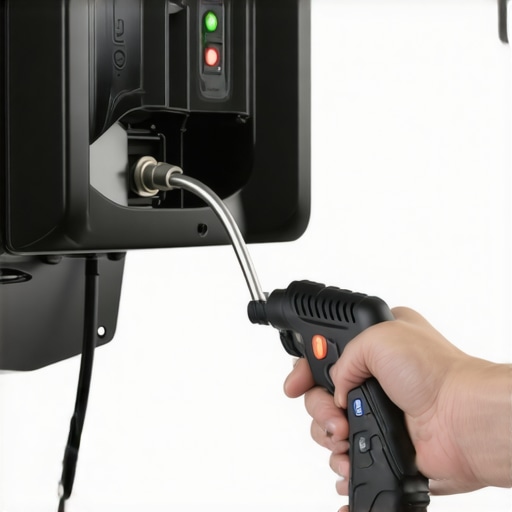
It sounds strange, but electrical noise can absolutely interfere with smart features. If your charger is on a circuit that is shared or improperly grounded, electromagnetic interference (EMI) can scramble the brain of your Wi-Fi module. This is why panel upgrade strategies to meet ev charging code requirements in 2025 often emphasize dedicated circuits. I learned this the hard way when I realized my old workshop lights were causing a how to fix a ground fault error on your home station because of a shared neutral wire. Every time I flipped the light switch, the sudden surge of interference made the charger drop the connection for several minutes.
Get the Torque Right the First Time
I used to think I had the ‘mechanic’s touch,’ but ‘tight enough’ is a recipe for a fire when dealing with 40 or 50 amps of continuous load. During my third install, I skipped the torque wrench and just cranked the lugs down by hand. Within a week, the constant heat expansion and contraction caused the connection to loosen. This led to a subtle voltage drop that the charger’s internal computer interpreted as a network failure. Following the wire gauge mistake that fails 40 percent of inspections guidelines isn’t just about passing a government test; it is about heat management and data integrity. If you are building out a larger space, knowing how to properly size a subpanel for your ev workshop ensures that your smart charger has the stable, clean power it needs to keep its sensitive electronics from overheating and rebooting at 3 AM.
Most people assume that if their phone shows three bars of Wi-Fi while they are standing in the garage, the charger should be perfectly happy. That is a massive misconception that keeps homeowners in a cycle of frustration. I’ve seen setups with ‘perfect’ signal strength that still suffer from constant drops because of packet loss caused by electrical interference. While troubleshooting ev charger connectivity problems, you have to look past the bars and check for ‘noise.’ If your charger is mounted right next to your main electrical feed or a large compressor, the electromagnetic field can literally drown out the low-power Wi-Fi antenna inside the unit. It’s like trying to have a whisper-quiet conversation next to a jet engine; the signal is there, but the meaning is lost.
Stop Chasing Bars and Start Checking for Noise
Here is a contrarian take: your high-end, ‘smart’ mesh router might actually be the culprit. These systems often use ‘band steering’ to force devices onto the 5GHz frequency for better speed. But most EV chargers have primitive Wi-Fi chips that can only handle 2.4GHz. When your router tries to ‘help’ by moving the connection, the charger simply hangs up. This is a common reason why your smart charger lost its wi-fi connection again. I always recommend creating a dedicated, 2.4GHz-only Guest Network specifically for your smart home gear. It keeps the ‘chatter’ from your kids’ gaming consoles away from your car’s vital link to the utility grid.
Can ‘dirty’ electricity actually crash your charger’s software?
Absolutely. We often focus on the data side, but the quality of the power coming through your breakers is just as critical. A study by the Electric Power Research Institute (EPRI) highlighted that Total Harmonic Distortion (THD) from other household appliances can cause sensitive smart-charger microprocessors to reboot or enter error states. This is the ultimate ‘oops’ factor: ignoring the ‘Neutral Wire Trap.’ If your neutral connection isn’t perfectly seated in the lug, you can get subtle voltage swings that don’t trip a breaker but do confuse the charger’s logic board. This is where ensuring code compliance when installing ev chargers becomes about more than just safety—it’s about data integrity. I’ve seen cases where the the neutral wire error that fries car motherboards started as a simple ‘offline’ notification that the owner ignored for months.
The GFCI Conflict Nobody Tells You About
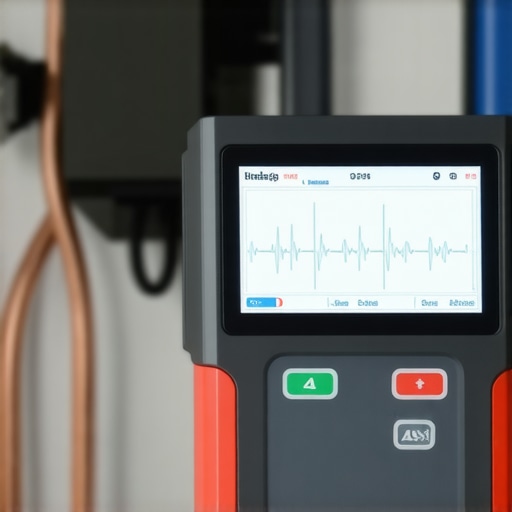
Most modern Level 2 chargers have built-in GFCI protection. However, many local codes—and several panel upgrade strategies to meet ev charging code requirements in 2025—call for a GFCI breaker in the panel as well. This creates a ‘double-stack’ scenario. These two sensors can actually fight each other, leading to ‘nuisance tripping’ where the power cuts out for no apparent reason. It’s a classic example of where following the letter of the law without understanding the hardware leads to a dead car in the morning. If you are upgrading your panel for better ev charging performance, you need an electrician who understands how to balance these requirements without creating a hair-trigger circuit. Have you ever fallen into this trap of ‘over-protecting’ your circuit only to have it fail when you need it most? Let me know in the comments. Before you call a technician for ev charger troubleshooting expert tips, check if you have two GFCIs on the same line—it’s a $150 mistake that takes ten seconds to spot.
Don’t Trust Your Hands for 50 Amps
I used to pride myself on being a ‘feel’ mechanic, thinking I could sense when a bolt was tight enough. That hubris almost cost me a garage. When you are pushing 48 or 50 amps through a circuit for eight hours straight, ‘hand-tight’ is an invitation for a slow-motion disaster. Metal expands when it gets hot and contracts when it cools. Over hundreds of charging cycles, those lugs in your panel will wiggle themselves loose. This is why I now swear by a high-quality inch-pound torque wrench. If you haven’t checked the specific torque wrench settings for a wall connector lately, you are playing a dangerous game with resistance and heat. According to the NFPA 70: National Electrical Code (NEC) Section 110.14(D), using a calibrated torque tool is actually a requirement for most electrical terminations to ensure long-term safety and performance. This isn’t just about passing an inspection; it’s about preventing the kind of micro-arcing that leads to the forgotten torque test that prevents panel fires.
How do I keep my charging setup healthy for the next decade?
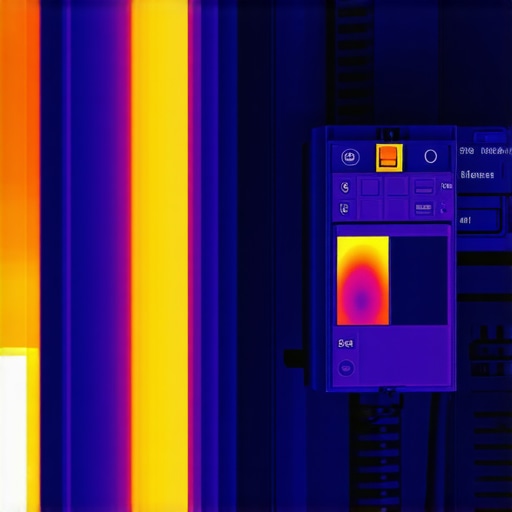
Maintenance for an EV charger isn’t like changing the oil in a car; it’s more about visual and thermal auditing. Every six months, I take a literal ‘sniff test’ near my panel—if you ever smell something like ozone or burnt fish, shut the breaker off immediately. I also highly recommend investing in a basic thermal imaging camera for your smartphone. By scanning your panel while the car is charging at full blast, you can see ‘hot spots’ before they become smoke. This proactive approach is the best way to handle ev charger troubleshooting expert tips because it solves the problem before the hardware fails. You should also regularly inspect the charging handle for grit or debris; I’ve found that how to clean your charger ports without damaging them is a skill every owner needs, especially if you live in a dusty or salty environment. If you’re near the coast, keep in mind the real lifespan of a level 2 charger in coastal salt air is significantly shorter without regular cleaning of the contact pins.
The Future Is Sending Power Back to Your House
We are currently standing on the edge of a massive shift in how we use our cars. Within the next three to five years, your EV won’t just be a consumer of energy; it will be a backup generator. Bidirectional charging—or Vehicle-to-Home (V2H) technology—is the trend you need to prep for now. This is why I always tell people that upgrading your panel for better ev charging performance today is a long-term investment. If you have the right infrastructure, you’ll eventually be able to learn how to use your ev as a backup home battery safely during a blackout. We are moving toward a world where your garage is a micro-grid. To get ready, ensure your current setup follows how to verify code compliance for your ev charger installation so that future upgrades don’t require you to rip everything out and start over. I challenge you to do a ‘heat check’ this weekend: while your car is charging, feel the conduit and the area around the breaker (be careful!). if it’s too hot to touch, call an electrician before Monday morning.
The Hardest Lessons I Learned After Five Failed Garage Setups
If I could go back to that rainy Tuesday, I would tell myself that tech isn’t the enemy—complexity is. Here is the ‘insider’ truth: First, your signal is only as good as its weakest link, which is usually a cheap extender that should never have been installed. Second, a panel upgrade for better ev charging performance is often more about reducing electrical noise than just raw power. Finally, I learned that ‘offline’ is often a software handshake issue rather than a broken wire. Don’t let the blinking lights win; most of the time, the fix is in the digital settings. If you are struggling, remember that troubleshooting ev charger connectivity problems is as much about patience as it is about hardware.
The Data-Nerd’s Toolkit for Reliable Charging
I do not recommend products lightly, but three things changed my life: A dedicated 2.4GHz guest network (it’s free and solves 80% of drops), a decent Powerline adapter for brick-walled garages, and a basic thermal imaging attachment for my phone. I trust these because they tackle the ‘invisible’ problems of signal blockage and heat that standard tools miss. When you are following ev charger troubleshooting expert tips, these tools will be your best friends. Also, keep a simplified code guide handy to ensure you are ensuring code compliance when installing ev chargers every time you tighten a lug or move an access point. These are the small investments that prevent the forgotten torque test that prevents panel fires from becoming a reality in your home.
Take Back Control of Your Morning Commute
You didn’t buy an electric car to worry about whether it would start; you bought it for the convenience of the future. By stabilizing your connection and ensuring your code compliance for your ev charger installation is rock solid, you are turning a temperamental gadget into a reliable appliance. Don’t be afraid to get under the hood of your router settings or double-check those torque values with a proper wrench. Once you solve the mystery of why your smart charger lost its wi-fi connection again, you will finally have the seamless experience you were promised. Have you ever had a ‘ghost’ connectivity issue that seemed to fix itself for no reason? Let me know in the comments—I would love to hear your weirdest tech stories.