It was 2:15 AM on a chilly Tuesday when my phone buzzed with an alert that always makes my stomach sink. My smart EV charger had dropped its connection again. I lay there in the dark, knowing my utility company’s super-cheap overnight charging window was ticking away, and my car was sitting there in the garage, completely idle. I stumbled out to the garage in my slippers, only to find the little green Wi-Fi light blinking mockingly at me. In those early days, I made the classic rookie mistake of assuming my home router was just acting up, so I power-cycled the router, reset my phone, and even tried to move my router closer to the garage door. Nothing worked permanently. If you are tired of waking up to a half-empty car battery and a high utility bill because your smart charger refuses to play nice with your home network, you are in the exact right place. Today, we are going to dive deep into why this frustrating disconnect happens and how to permanently fix it so you can get back to seamless charging. How to stop your smart charger from losing Wi-Fi every night is not as complicated as it seems, but it requires looking beyond basic router reboots. Let’s get your connection locked down. Why your smart charger lost its Wi-Fi connection again usually comes down to a mix of garage physical barriers, signal interference, and how your electrical infrastructure is set up. Check out this guide on EV charger troubleshooting expert tips for common issues to start ruling out the basics. Have you ever gone out to your garage in the morning only to find your car did not charge at all because of a network dropout?
Is a smart charger actually worth the constant hassle?
I get the skepticism. When you spend hundreds of dollars on a high-tech charger, you expect it to just work. The truth is, smart chargers rely heavily on 2.4GHz wireless bands because they travel farther through thick garage walls than 5GHz bands. However, that band is incredibly crowded with baby monitors, microwaves, and your neighbors’ networks. According to real-world network deployment studies, concrete walls and garage fire ratings can degrade a 2.4GHz wireless signal by up to 15 decibels, which is often enough to drop a marginal connection entirely. When your charger drops offline, it cannot receive signals from your local utility app to start charging when rates are lowest, which directly hits your wallet. Beyond basic router issues, sometimes the problem lies deeper in your home’s electrical setup. If you are experiencing power fluctuations or your charger is struggling to draw clean power, it might be time to investigate upgrading your panel for better EV charging performance. If your system is older, looking into panel upgrades for EV chargers can stabilize the overall power flowing to your smart unit, keeping its internal Wi-Fi modem from resetting due to voltage drops.
Step-by-Step Fixes for Garage Wi-Fi Drops
To get your smart charger to hold its connection, you need to think of wireless data like water flowing through a pipe. When that pipe has to pass through thick fire-rated drywall, concrete, and metal garage doors, the flow slows down to a trickle. The first, most effective step to stop these drops is to separate your router’s wireless bands. Most modern routers combine the 2.4GHz and 5GHz bands under one single network name, automatically shifting your device to whichever it thinks is best. When your smart charger tries to grab that 5GHz signal, it struggles to penetrate the garage wall, drops offline, and fails to reconnect. By accessing your router’s admin panel, you can create a dedicated, separate SSID just for your 2.4GHz band—name it something like ‘Home_24_IoT’—and force your charger to connect exclusively to that. This simple network split keeps the charger from constantly hunting for a stronger, short-range 5GHz signal.
Boost the Signal with a Powerline Adapter
If splitting the bands does not do the trick, do not waste money on a cheap wireless repeater. Repeaters just rebroadcast an already weakened, degraded wireless signal, which will not solve your issues. Instead, use a powerline ethernet adapter. This clever piece of tech uses your home’s existing copper electrical wiring to send internet data directly from your router to your garage. You plug one adapter into an outlet near your router, connect them with an ethernet cable, and plug the second adapter into a garage wall outlet. The electrical wiring acts as a giant, shielded ethernet cable, bypassing your thick garage walls entirely. Once plugged in, you can connect a small, dedicated access point in your garage to give your charger a flawless, direct signal. I remember a particularly frustrating install on a brick-clad garage where we tried three different high-end extenders to no avail. The moment we plugged in a basic powerline adapter, the signal went from a faint whisper to a full-strength shout, and the charger never dropped its connection again. If you are still running into issues, you may need to dig into troubleshooting EV charger connectivity problems to pinpoint hidden software conflicts.
Eliminate Electrical Interference and Maintain Compliance
Sometimes, the root cause of your connection dropouts is not the router at all, but electrical noise. When a Level 2 charger draws 40 or 50 amps of electricity, it creates a powerful electromagnetic field around the conduit. If your data cables or low-voltage wires are run too close to these high-voltage lines, they suffer from electromagnetic interference, which scrambles the smart charger’s internal modem. This is why following strict installation rules is so important. When setting up your system, you should always verify you are ensuring code compliance when installing EV chargers to prevent dangerous overheating and signal degradation. 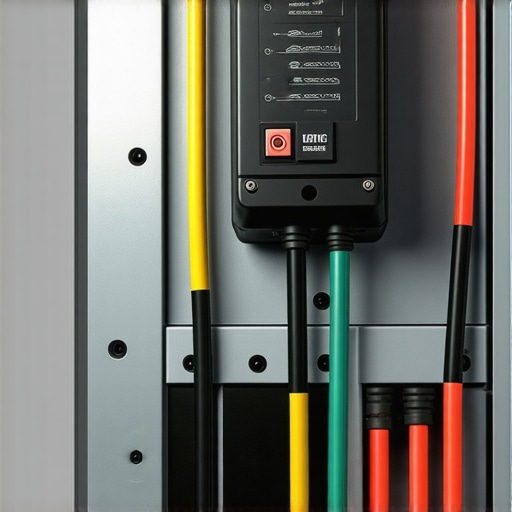 If your electrical panel is already operating at maximum capacity, the massive draw from your car can cause micro-voltage drops that trip the charger’s sensitive motherboard, forcing it to reboot and lose its Wi-Fi handshake. This is a common issue with older homes, which is why reviewing code compliance essentials for EV charger installations in 2025 can save you from a major headache. If your breaker box is constantly warm or making faint sounds, you can learn more about troubleshooting EV chargers common compliance pitfalls and fixes to ensure your setup is both safe and stable.
The Invisible Trap: Why Your Charger’s Internal Temperature Destroys Its Connection
Many home energy advisors claim that a weak signal is the sole culprit when a charger drops offline, suggesting you just need a better router or a closer access point. In my experience, however, the real bottleneck often has nothing to do with your Wi-Fi network itself. It is a thermodynamic issue. When a Level 2 charger runs continuously at 40 or 50 amps, it generates immense localized heat inside its compact, sealed enclosure. If your installer used cheap materials or missed critical torque specifications, that thermal buildup spikes. According to an National Electrical Manufacturers Association (NEMA) thermal analysis, excess heat inside sealed smart devices can cause the micro-transceivers on cheap IoT Wi-Fi chips to experience thermal throttling, temporarily shutting down the wireless radio to protect the core processor. This is why your charger might ping perfectly fine during the day but vanish into thin air two hours into an overnight charging cycle. Before you purchase an expensive mesh network system, make sure you check if why your main electrical panel feels hot when the car is plugged in, as these thermal issues frequently originate right at the breaker level.
Is your electrician overlooking the torque wrench?
This brings us to the ultimate ‘oops’ factor in home EV installations: ignoring terminal torque values. Many DIYers—and even some rushed professional electricians—tighten terminal lugs ‘by feel’ using a standard screwdriver. This is a massive mistake. Under-torqued connections create micro-gaps that lead to high resistance, which in turn generates extreme localized heat. This heat travels right up the copper conductors directly into your charger’s motherboard, scrambling its sensitive smart communication module. To protect your home and your hardware, you should understand the importance of the specific torque settings that prevent garage fires. If you skip this step, no amount of network troubleshooting will keep your charger online. 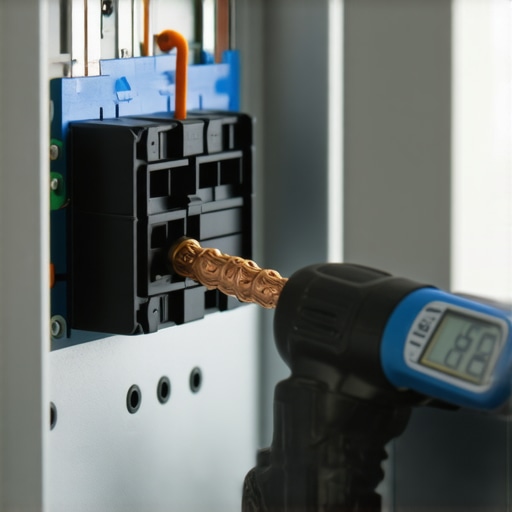 Even worse, severe thermal stress can permanently damage your system’s hardware; you can learn to spot the warning signs by reading about 3 signs your charger motherboard is fried from a surge or overheating. Beyond the physical safety hazards, these hidden issues will cause your home to fail municipal inspections. If you are preparing for a sign-off, reviewing how to pass your garage electrical inspection on the first try is absolutely vital. Have you ever fallen into this trap and spent hours troubleshooting your home router when the issue was actually a loose, overheating terminal lug? Let me know in the comments below.
How do I maintain my smart charger connection over time?
Maintaining a stable connection is not a set-it-and-forget-it task. To prevent your hardware from dropping off your network, you should perform a physical and digital checkup twice a year. I use an infrared thermal camera, specifically the FLIR One Pro, to scan my electrical panel and the charger’s terminal block while the car is actively drawing its full load. If you see a bright white spot around a breaker, you have a loose connection generating dangerous heat. I also keep an insulated torque screwdriver set handy—the Wiha 28724 is my personal favorite—to verify that all connections remain tightened exactly to the manufacturer’s specified inch-pounds. This simple check prevents the micro-voltage drops that cause your charger’s internal modem to crash and reboot. If you want to dive deeper into stabilizing your system, review troubleshooting EV charger connectivity problems. Additionally, I recommend logging into your router once a month to verify that your charger is still bound to a static IP address on your dedicated 2.4GHz IoT network. This prevents IP address conflicts when other smart devices reboot in the middle of the night, ensuring that your unit can always talk to your utility provider’s dynamic scheduling servers without delay. If your charger fails to sync after an IP refresh, look into why your smart charger refuses to sync with the local utility app to get back on track. For those with aging electrical systems, performing panel upgrades for EV chargers is the ultimate long-term solution to guarantee clean, uncompromised power delivery to your smart charging station. 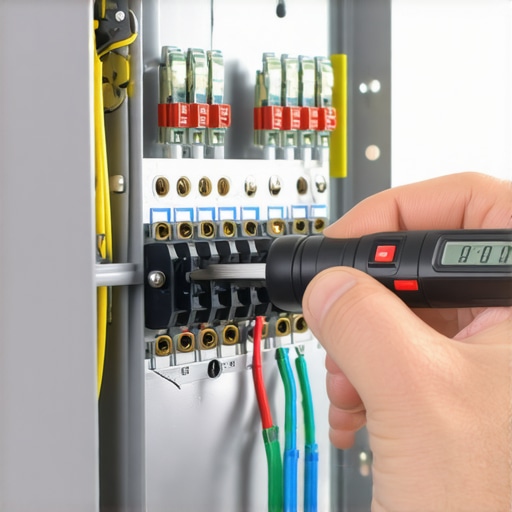 Looking ahead, I predict we will see a major shift toward local, hardware-based load management systems that do not rely on cloud servers or Wi-Fi connections at all. Emerging standards like the Open Charge Point Protocol (OCPP) are pushing manufacturers to build local ethernet ports and cellular fallbacks directly into residential chargers to eliminate local network interference. My advice? Take action this weekend by logging into your home router, splitting your wireless bands, and binding your EV charger to a dedicated 2.4GHz static IP address to stop the midnight disconnects once and for all.
The Hardest Lessons I Learned Troubleshooting Garage Connectivity
Over years of installing and optimizing residential charging setups, I have discovered that the slickest marketing materials often gloss over the gritty reality of home RF (radio frequency) environments and electrical physics. Here is the unvarnished truth about what actually keeps your hardware online:
- The signal bar indicator on your phone is a liar: Just because your smartphone shows two bars of Wi-Fi while you are standing next to your car does not mean your charger can maintain a handshake. Smart chargers have tiny, low-gain internal antennas encased in thick plastic or metal housings that are far less sensitive than your phone.
- Software updates can quietly break your connection: Many manufacturers push over-the-air firmware updates in the middle of the night. If your connection is marginal, a semi-completed download can freeze the Wi-Fi module, requiring a hard physical breaker reset to restore communication.
- Local electrical load directly impacts your network chip: If your home’s incoming voltage sag is significant when the contactor slams shut to deliver 48 amps, that sudden micro-second dip can brown out the cheap IoT Wi-Fi chip inside the charger, causing it to drop offline instantly even if your router is three feet away.
My Go-To Tools for Taming Garage Network Chaos
When basic router reboots fail, you need the right diagnostic gear to stop guessing. These are the tools I personally carry to every difficult installation:
- The Wiha 28724 Insulated Torque Screwdriver Set: You cannot overlook the physical installation. I use this to verify terminal lugs are tightened exactly to specifications. This simple mechanical check prevents overheating that leads to micro-voltage drops and fried smart boards.
- NetSpot Home Wi-Fi Analyzer: Before buying any network hardware, run this software on a laptop in your garage. It generates a literal heat map of your signal strength and signal-to-noise ratio (SNR), showing you exactly where the dead zones are.
- A Dedicated Powerline Ethernet Adapter: When brick and concrete block your signal, stop fighting physics. Plugging in a powerline adapter bypasses the wireless barrier entirely by using your home’s copper mains to deliver high-speed data directly to the garage.
Stop Fighting the Disconnect and Lock Down Your Signal
Waking up to an uncharged vehicle is not just a minor inconvenience; it disrupts your entire day and drains your wallet when you are forced to charge during peak utility hours. Fortunately, you do not have to live with a flaky smart system. By taking control of your local network structure, splitting your wireless bands, and ensuring your electrical infrastructure is physically sound, you can enjoy the reliable, automated charging experience you paid for.
If you suspect your home’s older electrical system is the ultimate bottleneck causing these communication drops, it might be time to look into panel upgrades for EV chargers. For professional assistance with complex setups, feel free to contact us to get your system operating flawlessly.
Have you ever struggled with your smart charger dropping offline in the middle of the night? Let me know what worked for you in the comments below!