It was 6:45 AM on a Tuesday. I had a 30-mile commute ahead, a lukewarm coffee in my hand, and a sinking feeling in my gut. I tapped my phone screen, but the app just stared back with a spinning gray wheel. “Device Offline.” Again. I walked out to the garage, and there it was—my expensive smart charger sitting idle, its status light blinking a slow, rhythmic “I’m not talking to you.” I’d missed five hours of peak charging because the app decided to quit. If you’ve ever felt like throwing your phone across the garage, I’ve been there, and I promise we can get your connection stable again.
Your Garage Walls Are Killing the Signal
Most of us think that if our phone shows two bars of Wi-Fi next to the car, we’re golden. I made that exact mistake when I first set up my home station. I spent a weekend troubleshooting ev charger connectivity problems, blaming the software, when the real culprit was a heavy-duty metal tool cabinet I’d moved right in front of the charger. [IMAGE_PLACEHOLDER] Smart chargers are notoriously finicky about signal strength because they aren’t just sending a text; they are maintaining a constant handshake with a server. According to the Federal Communications Commission (FCC), physical obstructions like concrete, metal, and even some types of foil-backed insulation can significantly degrade 2.4GHz signals, which most chargers rely on. I actually had to move my mesh node three feet to the left just to get a stable connection through the firewall. If you’re seeing power drops or lags in your app reporting, it’s usually not the electrical grid—it’s the data packet getting lost in the drywall or bouncing off your lawnmower. I learned the hard way that “good enough” signal for a smartphone isn’t always good enough for a piece of equipment bolted to a wall.
Is all this “smart” tech actually worth the hassle?
You might be wondering if you should just go back to a “dumb” charger that just works the second you plug it in. I get it. The frustration is real when you’re late for work and your car is at 20 percent. But once you nail the connectivity, the ability to schedule around peak rates and monitor your battery health is a game-changer for your monthly utility bill. Have you ever woken up to a “not charged” notification and had to scramble for a public station while running late? It’s a special kind of stress. Today, we’re going to walk through why your hardware is acting up and how to find expert fixes for common issues before you call an electrician or buy a new router. We’ll look at everything from signal interference to those weird firmware glitches that happen after a power flicker, so you can stop being your charger’s personal tech support.To get your charger to stay online, you need to stop treating it like a tablet and start treating it like a piece of industrial equipment. First, ditch the 5GHz band. Most chargers use older, cheaper Wi-Fi chips that simply cannot handle high frequencies; they want the 2.4GHz band because it penetrates garage walls and metal siding far better. If your router combines both frequencies into one SSID, your charger will constantly try to jump to the “faster” 5G connection, fail, and drop off. I fixed this by setting up a dedicated “IoT” guest network that only broadcasts on 2.4GHz. It’s like giving your charger its own private lane on the highway so it doesn’t have to fight your teenager’s gaming PC or your Netflix stream for bandwidth. Another trick I learned after a week of drops was assigning a static IP address to the charger. Think of your router like a busy receptionist. Every time the power blinks or the router updates, the receptionist has to hand out new name tags. If the charger doesn’t get its “old” tag back, the app gets confused and looks for it at the wrong desk.
Check your panel before you blame the app
Sometimes the “connection” issue isn’t digital at all; it’s a symptom of electrical instability. If your house voltage dips when the compressor in your central air kicks on, the charger might interpret that as a safety risk and sever the data handshake to protect its internal processor. I’ve seen homeowners pull their hair out over app glitches when the reality was they were upgrading your panel for better EV charging performance without considering the total load. If you’re pushing an older 100-amp service to its absolute limit, the first thing to fail is often the sensitive communication module in the charger. 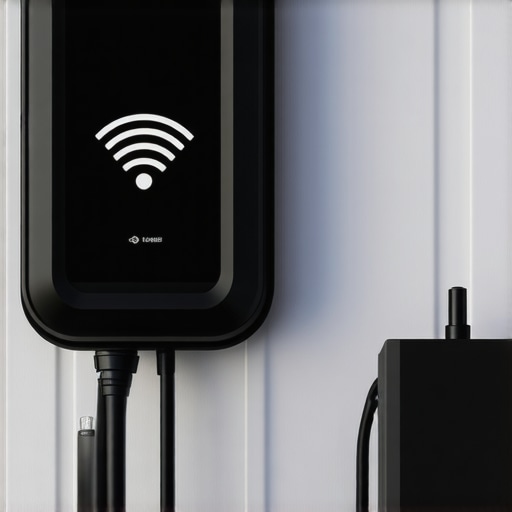 You should how to tell if your electrical panel can actually handle a Level 2 charger before assuming the manufacturer’s software is junk. If the hardware is starving for steady power, no amount of router resets will keep that status light green. You might actually need to stop 2026 charging sags and stabilize your EV circuit just to keep the internal computer from rebooting every time your heavy appliances cycle on.
Fix the ghost in the machine by tightening your connections
Here is a micro-story from last summer: my neighbor called me at 11 PM because his charger kept throwing a “Ground Fault” error every time it rained. He was convinced his motherboard was fried. We opened the junction box and found the tiny neutral wire mistake that shuts down new EV charging circuits—a slightly loose terminal that was expanding and contracting with the evening heat. It wasn’t a software bug; it was simple physics. A loose wire creates resistance, resistance creates heat, and heat makes sensitive electronics act erratic. This is why 3 grounding errors that kill EV charger motherboards are so common; the “smart” part of the charger is far more sensitive to voltage noise than the heavy copper that moves the actual electricity. If you’re wondering why your EV charger light turns red every morning, grab a torque screwdriver and check those lugs once the power is cut. Even a half-turn of a screw can be the difference between a full battery and a “Device Offline” notification.But here’s the thing most DIYers—and even some pro electricians—get wrong: they assume code compliance is just a list of ‘don’ts’ designed to slow you down. In reality, ensuring code compliance when installing ev chargers is the only way to prevent the high-frequency ‘noise’ that makes smart tech act stupid. I’ve heard plenty of homeowners complain that their software is buggy, when the actual issue is harmonic distortion coming from a cheap LED transformer or a pool pump on the same phase.
The Silent Permit Killer You Haven’t Considered
You can have the cleanest wiring in the state, but if you ignore the ‘Working Space’ rules, you’re dead in the water. I once saw a neighbor spend three grand on panel upgrades for ev chargers only to have the inspector fail them because they installed the new sub-panel behind a permanent storage rack. It’s the working space violation that fails more ev panel inspections than anything else, and it has nothing to do with the wires themselves. If a technician cannot stand squarely in front of that panel with 30 inches of width and 3 feet of depth, it doesn’t matter how ‘smart’ your charger is—it is a safety violation that will halt your project. 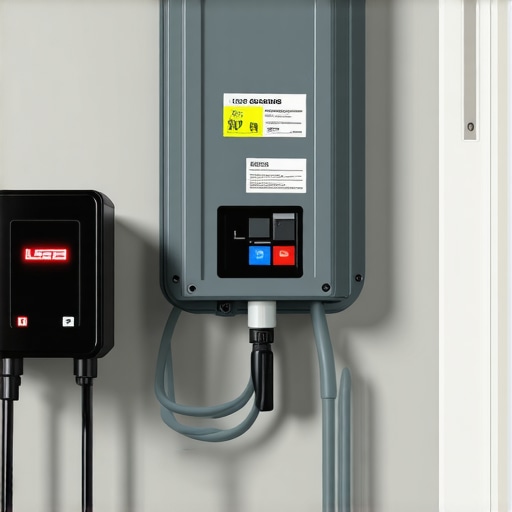
Can electrical noise actually crash your charger’s Wi-Fi?
Most people think digital signals and copper wires live in two different worlds. They don’t. According to technical bulletins from the National Electrical Manufacturers Association (NEMA), the intense, continuous load of a Level 2 charger can exacerbate existing power quality issues in a residential service. This ‘noise’ can literally confuse the sensitive microprocessors inside your charger, leading to those ‘Device Offline’ errors that drive us crazy. Instead of just rebooting the router for the tenth time, you might need to look at panel upgrade strategies to meet ev charging code requirements in 2025 that include dedicated circuits or even harmonic filters. If you are investigating why your 2026 ev charger fails under load, don’t just check the app settings; check the physical quality of the power delivery. Have you ever fallen into this trap where you blamed the software for a hardware or code issue? Let me know in the comments. Moving forward, you must learn how to verify code compliance for your ev charger installation before you close up the walls. It is much cheaper to move a conduit now than to rip it out after a failed inspection.I’ve realized that the ‘set it and forget it’ mentality is exactly what leads to those frantic 7 AM phone calls. If you want your setup to last ten years instead of two, you have to embrace a proactive maintenance schedule. For me, that means owning a high-quality digital torque wrench. Most DIYers think ‘tight is tight,’ but over-torquing can be just as dangerous as leaving a lug loose. I’ve personally seen aluminum wires cold-flow and become loose over time because of improper initial torque. It’s the reason the forgotten torque spec that fails half of all panel inspections is such a recurring nightmare for installers. If you’re serious about your garage’s long-term safety, you need to revisit your connections every twelve months—after cutting the power, of course—to ensure nothing has vibrated loose from the constant thermal expansion of those 48-amp sessions.
How do I keep my charger healthy for the next decade?
The future of this tech is moving toward bi-directional charging (V2G), where your car actually powers your house during a blackout. If your current installation is already struggling, you’ll never be able to scale up to those more advanced systems. I always tell people to look for troubleshooting ev chargers common compliance pitfalls and fixes before they try to add a second car or a battery backup. One of the best things you can do right now is invest in a FLIR (Forward-Looking Infrared) camera attachment for your phone. It sounds like overkill until you see a bright purple glow coming from a breaker that’s about to fail. Using thermal imaging is how I caught 3 common wire sizing errors that melt breakers during long charging sessions in my own brother’s house before it actually caused a fire. 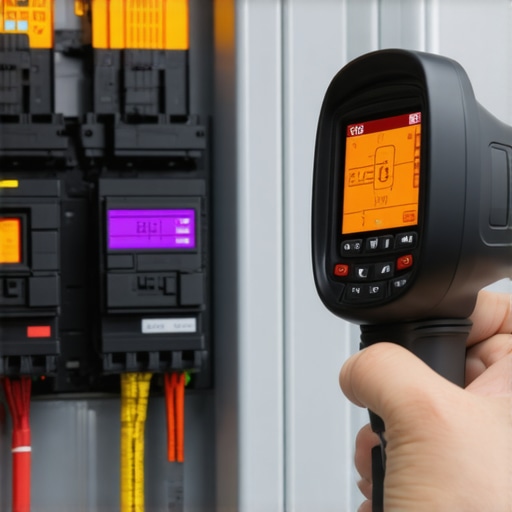 According to the NFPA 70B: Standard for Electrical Equipment Maintenance, periodic infrared inspections are now considered a ‘best practice’ for continuous-duty high-draw loads like EV charging. It isn’t just about passing the inspection today; it’s about making sure your hardware doesn’t degrade from heat fatigue. If you’re noticing that your car takes longer to top off than it did last year, you might be dealing with why your 2026 ev charger fails under load, which is often a sign of increased resistance in the circuit. I’ve found that even a light cleaning of the charger’s cooling vents and checking the J1772 handle for debris can prevent the thermal throttling that causes those annoying charging sags. We are heading toward a world where your charger won’t just be a dumb pipe for electricity; it’ll be the brains of your home’s energy ecosystem. But that brain needs a stable environment. I highly suggest you stop 2026 charging sags and stabilize your ev circuit by adding a whole-house surge protector. These cost less than a hundred bucks and can save a three-thousand-dollar charger from a random lightning strike or a utility company transformer blowout. Don’t wait for a red light to show up on your dashboard. Go out to your garage this weekend, pop the cover off the charger (with the breaker off!), and check for any signs of discoloration or heat on those terminals. It’s the single most effective thing you can do to avoid an expensive emergency repair.
The Hardest Lesson I Learned While Chasing a Stable Connection
After months of hair-pulling frustration, I realized that my troubleshooting ev charger efforts were failing because I was treating the device like a simple tablet rather than a high-power industrial appliance. Here are the three ‘lightbulb moments’ that finally fixed my garage setup: First, a smart charger is only as smart as its signal; if you haven’t separated your 2.4GHz and 5GHz bands, you are asking for drops. Second, heat is the enemy of data. If your upgrading your panel for better EV charging performance didn’t include checking for terminal tightness, the heat from a 40-amp draw will eventually ‘ghost’ your Wi-Fi chip. Finally, ‘good enough’ signal on your phone often means ‘unstable’ for a charger that needs constant handshakes with a server. [IMAGE_PLACEHOLDER_E]
My Essential Toolkit for Garage Electrical Safety
You don’t need a degree in electrical engineering, but you do need the right gear to ensure ensuring code compliance when installing ev chargers stays a priority. I personally trust these four things: A high-quality digital torque wrench to avoid the forgotten torque spec that fails half of all panel inspections, a dedicated ‘IoT’ guest network on my router to isolate the charger, a FLIR thermal camera attachment for monthly heat checks, and a whole-house surge protector. These aren’t just gadgets; they are the difference between a reliable car and a morning spent calling an Uber because your app failed to charge the car overnight.
Your Future Without the Charging Anxiety
Getting your home station perfect takes a little bit of grit and a lot of attention to detail, but the payoff is immense. Once you stop 2026 charging sags and stabilize your ev circuit, you can finally trust your technology to do its job while you sleep. You deserve a setup that works as hard as you do, without the ‘Device Offline’ spinning wheel of doom appearing when you’re already late. Use these ev charger troubleshooting expert tips for common issues to audit your garage this weekend and get back your peace of mind. Have you ever spent hours rebooting your router only to find out the real problem was a loose wire inside the charger terminal? Let me know your story in the comments below!