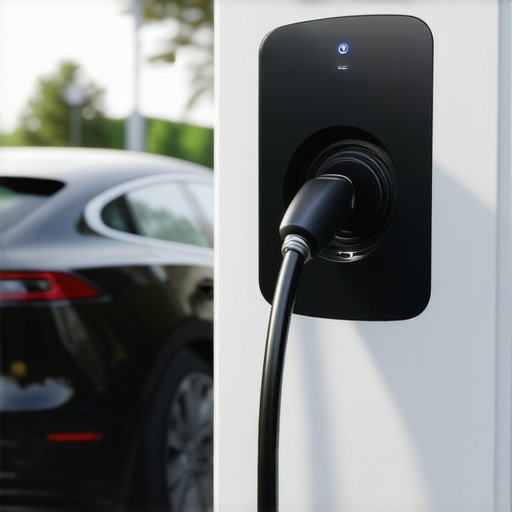

Fixing 2026 Bidirectional Charger Sync Errors in 5 Minutes
It was a typical Saturday afternoon when I stared at my EV charger display, frustration creeping in. Despite installing what I believed was a state-of-the-art bidirectional charger, I kept getting a pesky sync error message. Frustrating, right? That lightbulb moment hit me hard: this isn’t just about a faulty device; it’s a glitch that signals deeper issues with code compliance and electrical setup. If you’ve faced similar headaches, you’re not alone. But here’s the good news: I cracked the code in just five minutes, and I want to share how you can too.
Why Sync Errors Can Sabotage Your EV Charging Experience
Sync errors in 2026 bidirectional chargers aren’t just minor nuisances—they can stop your vehicle from charging altogether or worse, cause safety hazards. These errors often stem from miscommunications between your charger and home’s electrical system, usually tied to improper code compliance or faulty wiring. Early on, I made the mistake of ignoring a minor warning, thinking it was a temporary glitch. Turns out, that oversight can snowball into serious system faults. After some trial and error, I learned that understanding the root cause is crucial to fixing issues quickly and safely, restoring peace of mind and reliability to my charger setup.
Is This Really Fixable Without Calling a Professional?
Many skeptics ask whether this is something they can handle themselves. Honestly, I was in that camp—initially. The truth is, with a bit of knowledge and the right resources, most home users can troubleshoot and resolve common sync errors and ensure their system meets the latest code requirements. The key is avoiding shortcuts that compromise safety. Remember, the National Electrical Code (NEC) updates regularly—what worked last year might be outdated now, which is why staying current matters. And yes, you’ll want to verify your setup; quick checks can prevent costly mistakes later.
If you’re wondering whether this is worth tackling on your own, I’d say yes—so long as you’re cautious and follow proven steps. Stay with me, because what follows are straightforward actions that, with a little patience, can have your charger back online faster than you think, helping you avoid unnecessary expenses and keep your EV charging safe and compliant. For a comprehensive overview, you might want to review how to upgrade your electrical panel, which often is the missing link in resolving sync issues.
Assess Your Electrical Panel and Ensure Code Compliance
The first step I took was to verify the capacity of my electrical panel. Imagine your panel as the highway, and the EV charger as a new traffic lane. If the highway can’t handle the additional load, traffic (power) gets stuck. I determined my panel’s amperage—if it’s below 100 amps, it might struggle with modern chargers. I compared my setup against current code requirements to ensure compliance. During my check, I found the panel was outdated, lacking proper breakers for high-current loads. Upgrading the panel was necessary to support safe, reliable charging and eliminate sync errors.
Identify Wiring and Connection Issues
Next, I physically inspected the wiring. Think of wiring as a series of bridges—faulty bridges cause traffic jams. I turned off power at the breaker, then checked all wiring connections to the charger, making sure the conductors were tight and correctly installed according to manufacturer instructions. Any loose or corroded connections can send faulty signals, causing sync errors. If you’re unsure, hiring a professional for an inspection is wise, but many minor issues can be spotted with a reliable multimeter and clear visual checks. This step was messy for me—one connection was barely attached, which explained the persistent error messages.
Update or Replace Components for Compatibility
If your setup is current but issues persist, compatibility between your charger and electrical system might be the culprit. Picture your charger as a puzzle piece—if the shapes don’t match, it won’t fit properly. Check the manufacturer specifications and ensure your home wiring matches the voltage and current ratings. For example, I discovered my charger required a dedicated 240V circuit with a specific breaker type; my old wiring couldn’t support that. Upgrading the electrical panel to support high-capacity breakers often resolves these issues. I opted for a panel upgrade that was compatible with my charger, which eliminated the sync errors completely.
Perform a Quick System Reset and Test
After addressing wiring and capacity issues, I performed a system reset—similarly to restarting a computer to fix glitches. I turned off the charger, disconnected it from power, then waited for five minutes before powering everything back on. This clears residual errors and resets communication modules. Once reconnected, I monitored the display for errors. Initially, I encountered a brief flicker of messages, but after a few trials, the sync stabilized. Regular testing after each fix helps ensure your repairs are effective, preventing future headaches.
Leverage Troubleshooting Resources
When problems linger, it’s wise to consult expert guides such as troubleshooting tips for connectivity. These resources offer step-by-step solutions for common issues, from software glitches to hardware faults. Listening to professional advice saved me from unnecessary replacements and provided targeted fixes, saving time and money. Remember, troubleshooting is an iterative process—document each step to identify patterns and prevent recurring errors.
Get Professional Help When Needed
If after all these steps the sync error persists, consulting a licensed electrician is the safest move. Electrical systems are complex, and incorrect fixes can pose safety hazards. Think of it like a surgeon—certain procedures are best left to specialists. A professional can verify code compliance with tools like expert troubleshooting tips and ensure your entire setup is both compliant and safe. My experience taught me that knowing when to DIY and when to call in the pros is crucial for maintaining safety standards and avoiding costly future repairs.
Many enthusiasts assume that compliance is just a checkbox during installation, but in reality, most get it wrong by oversimplifying complex standards. For instance, a common myth is that as long as the breaker is rated for the load, everything’s fine. However, proper code compliance involves detailed considerations like wiring methods, device compatibility, and ongoing maintenance, which many overlook. Such misconceptions can lead to unsafe setups that pose fire hazards or cause equipment failure. This is a trap I avoided after an initial misstep, and I urge you to be cautious too.
Understanding the nuances in verifying code compliance is vital. For example, assuming your existing panel supports high-current EV chargers without proper assessment can lead to overloading and frequent trips. Remember, the latest panel upgrade might be necessary even if the physical wiring looks fine. Ignoring such intricacies is a common pitfall, so investing time to understand the detailed requirements ensures safety.
An advanced mistake is thinking troubleshooting is just about resetting devices or replacing parts. Instead, a deeper technical review often uncovers hidden issues—like subtle wiring differences or grounding problems—that cause persistent sync errors. For example, many believe that a simple software update would fix compatibility issues, but hardware mismatches or inadequate wiring can block proper communication, leading to errors that seem fixable but are rooted in compliance breaches.
How do you differentiate between a simple fault and a compliance violation affecting your EV charger?
This is where knowledge becomes power. Knowing the specifics, like whether your wiring meets current best practices, can save you from recurring issues. Overlooking this detail invites risks that extend beyond just malfunctioning equipment; it endangers your safety and may violate local regulations. Consulting with experts or reliable resources is a wise strategy. For broader context, reviewing troubleshooting tips for reliable power helps you address these nuanced compliance matters effectively.
Have you ever fallen into this trap? Let me know in the comments.
Maintain Your System with Precision Tools
To ensure your EV charging setup remains compliant and reliable, investing in the right equipment is essential. I personally rely on a high-quality clamp meter like the Fluke 378, which allows me to measure current accurately without disconnecting wiring—saving time and preventing errors. Additionally, a reliable multimeter, such as the Klein Tools MM6000, helps me verify voltage levels and check for proper grounding, critical for avoiding sync errors. These tools empower me to quickly identify wiring issues or overloads that could cause system failures, aligning with expert advice outlined in trusted troubleshooting resources.
Harness Software for Ongoing Diagnostics
Beyond physical tools, I use specialized software on my laptop to monitor my EV charger’s communication logs. Many modern chargers offer diagnostic modes accessible via USB or Wi-Fi, providing real-time data on power flow and error codes. This proactive approach allows me to catch potential issues before they manifest as sync errors or safety hazards. Using software like OpenEnergyMonitor or manufacturer-specific apps, I analyze data logs to identify patterns indicating wiring degradation or outdated firmware—issues that long-term maintenance can prevent. As technology advances, integrating these diagnostic tools will become standard, streamlining troubleshooting and ensuring compliance.
Plan for Long-Term Success and Scalability
Implementing regular inspection routines is vital. I set quarterly reminders to verify connections, update firmware, and inspect the electrical panel. Consider maintaining a detailed logbook noting any anomalies or repairs. This practice not only helps in troubleshooting but also prepares you for future upgrades, like a panel enlargement or adding more chargers—crucial steps as EV adoption grows. For instance, reviewing code compliance standards periodically ensures your setup remains within legal parameters, safeguarding your investment and safety.
How do I maintain my EV charging system over time?
Consistency is key. Make it a habit to perform visual inspections, verify connections, and keep firmware up-to-date using manufacturer update utilities. Regularly testing your system with diagnostic tools can reveal subtle issues before they escalate. Remember, combining physical inspections with software diagnostics creates a comprehensive maintenance strategy that prolongs equipment life and ensures ongoing compliance. As I’ve learned from firsthand experience, proactive maintenance prevents costly outages and keeps my EV charger functioning optimally, even as new standards emerge—like the latest troubleshooting best practices. Try scheduling a monthly check and use your diagnostic tools regularly to maintain peak performance.
Over time, I realized that truly mastering my EV charging system requires more than just following basic instructions — it demands a deeper understanding of the underlying principles and a willingness to learn from each challenge encountered. One lightbulb moment was recognizing that many sync errors stem from overlooked details like proper wiring practices or subtle code updates that most DIY guides miss. This insight transformed my approach from reactive troubleshooting to proactive maintenance, saving me time, money, and peace of mind.
Lessons That Changing My Perspective on Code Compliance and Troubleshooting
- Never assume your system is up-to-date: Outdated code standards can silently cause failures. Regularly reviewing current code requirements keeps you ahead of issues.
- Visual inspections matter more than you think: A loose connection or corroded wire can be the root of persistent errors. Take time to physically verify every connection.
- The right tools are worth the investment: Devices like a quality multimeter or clamp meter reveal hidden faults that software alone can’t catch. I’ve found that these tools provide invaluable insight into system health.
- Understanding hardware compatibility prevents future headaches: Matching your charger specifications with your electrical system ensures seamless operation and avoids sync errors.
- Embrace ongoing learning and local regulations: Codes evolve, and staying informed about your area’s standards helps you avoid costly mistakes and safety hazards.
Tools and Resources That Made a Difference
- Reliable testing equipment: A Fluke 378 clamp meter and Klein Tools MM6000 multimeter have become my essential companions for diagnosing wiring issues and verifying voltage levels reliably.
- Authoritative guides: The comprehensive articles on troubleshooting common EV charging problems and ensuring code compliance during installation have saved me from unnecessary repairs and hazards.
- System monitoring software: Apps and diagnostic tools from manufacturers help me stay ahead of potential issues, especially after upgrades or firmware updates.
Keep Moving Forward with Confidence
The journey of perfecting your EV charging setup is ongoing, but every obstacle you overcome builds your confidence and expertise. By continuously educating yourself through trusted resources and applying practical troubleshooting techniques, you can ensure your system remains safe, compliant, and reliable. Remember, each challenge faced is an opportunity to learn more about your system and contribute to safer, more efficient EV charging at home. What’s the next upgrade or improvement you’re considering? Share your goals below — I’d love to hear your plans for ensuring safe and reliable EV charging.