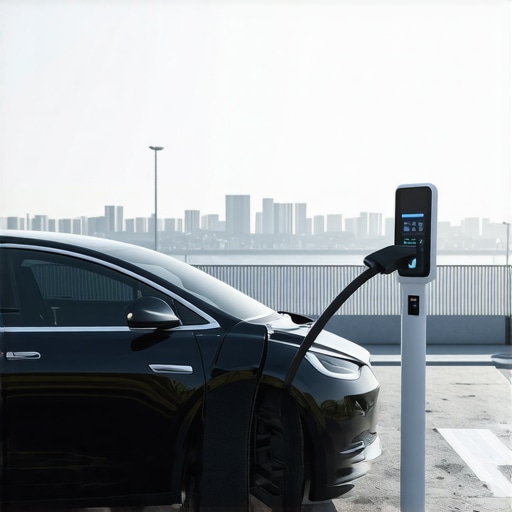

3 Fast Fixes for 2026 EV Charger Communication Error Alerts
Have you ever stood in your garage, plugin your EV charger, only to be met with that frustrating communication error alert? I can’t count how many times I’ve faced this exact scenario—pixels blinking on my screen, a sense of dread creeping in, and that nagging question: am I about to get stuck with a costly repair or a failed inspection? It’s a feeling many of us are familiar with as 2026 approaches and new EV regulations tighten their grip. That lightbulb moment hit me when I realized these errors aren’t just random glitches—they often signal deeper issues that can be fixed quickly if you know the right tricks. Today, I promise to share my personal experience and walk you through three rapid fixes tailored specifically for these communication hiccups.
Why Communication Errors Can Spin Your Head—And Cost You Big
These communication errors might seem minor, but they can interfere with your EV’s ability to charge properly, risking not only your daily commute but also risking failing the stringent 2026 safety and code inspections. With the surge of new standards, a misstep here can mean costly rework or worst-case scenario, a failed permit. I learned this the hard way early on when I assumed a simple restart would fix things—only to realize I’d overlooked a crucial component of the puzzle. That mistake cost me days of troubleshooting and some unnecessary expenses. Since then, I’ve made it my mission to understand these errors and how to resolve them swiftly. If you’re feeling overwhelmed by these alerts, you’re not alone. According to research from the Department of Energy, compliance failures in EV infrastructure can delay installations and increase costs—underlining the importance of mastering these fixes early on. If you’ve faced this dilemma, stay tuned; I’ll guide you through practical, proven solutions to get your system back online fast.
Is Fixing EV Communication Errors Really Worth the Hustle?
Absolutely. When I first encountered these error alerts, my instinct was to panic or call in a pricey technician. But I soon discovered that many of the issues stem from simple setup mistakes or outdated components, which I was able to rectify myself. A common error I made early on was neglecting to verify code compliance during installation, leading to persistent message errors. You can avoid costly pitfalls by understanding the root causes, which aren’t always what they seem at first glance. Ensuring you’re up to speed with the latest regulations and troubleshooting tips can save you both time and money, and help you pass those 2026 inspections smoothly. Want to avoid the learning curve I experienced? Let’s jump into the three fixes that will have your EV charger communicating flawlessly in no time.
Inspect and Reset Your Connections Swiftly
Start by powering down your EV charger and unplugging it from the wall. Visually examine all cables and connectors for looseness or corrosion. I once had a stubborn error notice, and upon inspecting the port, I found a loose connector that was causing intermittent signals. Tighten any loose connections and clean corrosion with a soft brush and contact cleaner. After reconnecting, restart the charger and see if the communication error persists. This simple physical check often resolves minor connection glitches that trigger error alerts.
Update Firmware and Monitor Compatibility
Next, ensure your charger firmware is up-to-date. Firmware discrepancies can cause handshake failures between the charger and the network or vehicle. During my last troubleshooting, I downloaded the latest firmware from the manufacturer’s website, following their step-by-step instructions. This is similar to updating your phone’s OS—outdated software can cause compatibility issues. Follow the manufacturer’s update procedure precisely to avoid bricking the device. Check this guide for detailed firmware update instructions, and verify the compatibility of your hardware to prevent future errors.
Verify Code Compliance and Upgrade Panels if Needed
Communication errors might stem from code violations or inadequate electrical infrastructure. Think of your home’s electrical system as the nervous system—if it’s not wired correctly, signals won’t transmit properly. Refer to this resource to verify your installation’s compliance with local codes. If your panel is outdated or undersized, it can impede communication and charging performance. In my case, upgrading to a larger panel with dedicated circuits improved both safety and communication stability. Consider consulting licensed electricians to determine if your panel requires an upgrade, and explore options at this service.
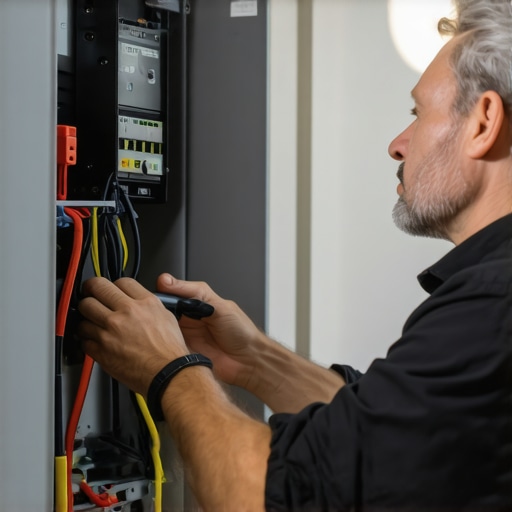
Visualize the upgrade process with an image of a technician replacing a home panel, emphasizing proper wiring and component placement to ensure reliable communication and safety.
Utilize Troubleshooting Tools Effectively
If issues persist, employ diagnostic tools like signal testers or software diagnostics provided by the manufacturer. Connecting these tools directly can reveal hidden faults or interference sources. I once used a multimeter to check voltage stability, revealing fluctuations that caused communication dropouts. By fixing wiring or installing filters, I eliminated interference. Regularly inspecting your setup with these tools can identify subtle issues before they escalate, saving you repairs and delays in passing upcoming inspections. For extensive troubleshooting techniques, visit this comprehensive guide.Many homeowners believe that installing an EV charger is a straightforward plug-and-play task, but in reality, there are nuanced pitfalls that can trip you up if you’re unaware of them. One prevalent misconception is that firmware updates are solely for new features, when in fact, they often contain critical security patches and compatibility fixes that prevent communication errors. Skipping these updates may lead to persistent faults that seem inexplicable, risking costly repairs and failed inspections. Another overlooked nuance involves electrical infrastructure: even if your panel appears sufficient, subtle code violations or outdated wiring can silently sabotage your charging setup. Advanced mistakes often involve improper grounding or insufficient circuit capacity—issues that aren’t visible but can cause intermittent failures or even safety hazards. For instance, many assume that a larger panel automatically guarantees compliance, but without proper load management and adherence to recent code updates, you might still face rejection during inspections. A common trap is to focus solely on hardware upgrades while neglecting the importance of detailed code compliance verification, which is crucial for pass/fail outcomes in 2026 safety audits. This is why consulting comprehensive resources like this guide can save you from costly rework. From my experience, ensuring that every component—from wiring to firmware—is meticulously checked and compliant can mean the difference between seamless operation and headaches. Make sure to avoid the mistake of underestimating the importance of thorough troubleshooting and code adherence, as these hidden details are often the real culprits behind communication errors and failed inspections. As the industry evolves, so do the standards; staying informed helps you prevent issues before they escalate. Have you ever fallen into this trap? Let me know in the comments.
Invest in the Right Maintenance Tools for Longevity
To keep your EV charger humming smoothly, I highly recommend equipping yourself with a high-quality digital multimeter. I use the Fluke 117 because of its durability, precise readings, and ease of use, which are crucial when diagnosing voltage fluctuations that can lead to communication errors. Regularly checking your wiring connections with this tool helps identify loose or corroded contacts before they cause bigger issues. Additionally, having a reliable circuit tester, like a GFCI outlet tester, allows me to quickly verify that outlets are properly grounded and functioning according to code, preventing potential faults that might trigger errors later. These tools empower you to perform preventative checks, saving time and money in the long run.
Stay Ahead with Firmware Updates and Compatibility Checks
Firmware updates are vital for maintaining your EV charger’s performance. I schedule biannual updates, downloading firmware directly from the manufacturer’s website, ensuring I benefit from security patches, new features, and compatibility improvements. During updates, I follow manufacturer instructions precisely, and I verify the version installed via the charger’s display or app. This proactive approach minimizes communication errors caused by outdated software. As technology advances, I predict firmware will become even more integrated with smart home systems, requiring regular updates to ensure seamless operation. For detailed guidance, consult this troubleshooting resource.
Upgrade Your Panel and Verify Code Compliance to Avoid Hidden Traps
Ensuring your electrical panel can handle future loads is essential. I recommend upgrading to a 200-amp panel with dedicated circuits for multiple EV chargers, as described in this article. Doing so prevents overloads and communication errors. Moreover, I routinely verify that my setup complies with local codes by reviewing the latest code guidelines. Overlooking subtle code violations or wiring inadequacies can silently cause system faults. For instance, improper grounding or insufficient circuit capacity not only risk safety fines but also threaten operational reliability. Consulting a licensed electrician for panel upgrades and compliance checks is a smart move, especially as standards evolve.
How do I maintain my EV charging system over time?
Consistently monitoring your system with diagnostic tools, performing firmware updates, and verifying code compliance are key strategies. Regular inspections of wiring connections with a multimeter can catch issues before they escalate. Staying informed about upcoming code changes ensures your setup remains compliant and efficient. As technology progresses, integrating smart monitoring systems can provide real-time alerts for anomalies, helping you address problems swiftly and avoid costly repairs or inspections. I encourage you to try leveraging your multimeter for routine voltage checks—it’s a small step that offers significant peace of mind and long-term savings.
The Hidden Pitfalls That Caught Me Off Guard
One of the toughest lessons I learned was that not all communication errors are created equal—some are simple to fix, while others conceal underlying issues that can jeopardize safety and compliance. I once overlooked the importance of verifying code updates, which led to persistent errors until I realized that staying current is crucial. Additionally, I underestimated the complexity of panel upgrades; a seemingly adequate system can harbor silent violations waiting to trip you up during inspections. The most surprising insight was how subtle wiring flaws, undetectable to the naked eye, could disrupt communication, emphasizing the need for reliable diagnostic tools. These lessons transformed my approach from reactive troubleshooting into proactive maintenance, saving me time, money, and stress in the long run.
Tools and Resources That Became My Lifesavers
Over the years, I curated a set of trusted tools that dramatically improved my troubleshooting efficiency. A quality digital multimeter, like the Fluke 117, became indispensable for verifying voltage stability and detecting inconsistencies. For firmware management, I rely on manufacturer websites and their update guides—these resources are crystal clear and prevent accidental bricking. To ensure compliance, I found the comprehensive guidelines at this detailed resource invaluable, especially when dealing with evolving 2026 standards. Lastly, engaging with local electrical authorities and reading updated code books helped me avoid costly rework. These tools and references not only empowered me to troubleshoot confidently but also helped me stay ahead of potential pitfalls.
Taking the Leap—Your Next Step Awaits
Mastering EV communication fixes is more than just a necessity; it’s a pathway to peace of mind and future-proofing your home. The journey may seem daunting at first, but with the right knowledge, tools, and attitude, you can navigate these challenges effectively. Investing in proper upgrades and staying informed about code changes ensures your system remains safe, reliable, and compliant—ready for the evolving standards that are about to shape the industry. Remember, every fix you implement today solidifies your home’s readiness for tomorrow’s tech landscape. So, I encourage you to start applying these insights now, and take confidence in your ability to keep your EV system running smoothly for years to come.